Hornil StylePix Portable 2.0.3.0 fr
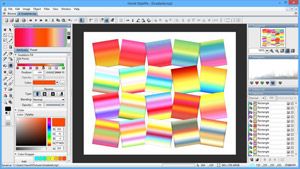
StylePix Portable est un logiciel avec une interface très complète qui vous permet d'éditer vos photos pour les modifier (rogner, réduire, agrandir, changer les couleurs, le contraste, la luminosité, etc…). Il prend en charge les images aux formats : JPG, PNG, BMP, GIF, TGA et TIF.
Il propose de nombreux outils de sélection (rectangulaires, circulaires, polygonale, Zone de sélection Lasso), ainsi que de dessin (pinceau, gomme, aérographe, pinceau pour cloner des zones d’image, lignes, etc…)
Vous pouvez également ajouter des filtres à vos photos tels que mosaïque, distorsion, effets nuages, etc…
Quelques fonctionnalités
- Travailler avec plusieurs fichiers qui peuvent être ouverts simultanément.
- Plusieurs niveaux d’annulation.
- Zoom avant / arrière, mode plein écran, grille, règles, …
- Pour en savoir plus...
Compléments
- Information : Une Application portable est un logiciel pouvant fonctionner depuis votre ordinateur sans installation, mais aussi depuis une clé USB ou tout autre support amovible.
Nouveautés & Corrections
- The snap function has been extended.
- Snap functionality is now available for crop, region and shape tools.
- Changed the key to exclude the snap from the existing Control key to Alt key.
- Added Ruler to the viewer's View menu.
- Improved the UI to incorporate all functionality and work more organically. Toolbars only show what is needed depending on the situation. All windows and tools are adjusted according to DPI. The new UI can also be used properly on 2-in-1 devices.
- Fixed a bug that the height of the Confirm Close Window does not calculate correctly.
- Improved the Clone Brush to display the size of the brush.
- Fixed the strange layout issues in Option dialog.
- Fixed a bug that the size of color window does not adjust when resizing it.
- Fixed a bug that shortcuts don't work in the Task List Window.
- Fixed a bug that the Color Window don't fold.
- Fixed a bug that the Switch window closes when pressing Ctrl+Tab twice.
- Fixed a bug that the preset function does not work in Eraser.
- All windows and tools are adjusted according to the DPI.
- Toolbars have been readjusted to simply look.
- Supports zoom and pan events in the edit window.
|
|

 (0 votes)

