 Version 8.5.1.3639 du 13/06/2026
- Added hardware acceleration support for AMD GPUs in Video Recorder.
- Fixed an issue where Video Recorder hardware acceleration stopped working on NVIDIA GPUs after a specific driver update.
- Motion-Linked Filters – Link filters directly t- a motion-tracked subject, s- stylized effects, and visual enhancements move right along with the action, automatically, frame by frame.
- Improved Clip Selection – Move faster on the timeline with tw- powerful new selection tools. Select All Forward grabs every clip from your click point t- the end of the timeline; Select All Backward selects everything from your click point back t- the beginning. Trim, shift, or rearrange large sections of your project in a single move.
- Character & Line Spacing (Kerning & Leading) – Typography that’s truly yours. Fine-tune the horizontal spacing between characters (kerning) and vertical spacing between lines of text (leading) for text overlays that look as sleek and professional as the rest of your video.
- Playback Loop Control – Preview and loop your project timeline the way you want. You decide whether or not the timeline returns t- the beginning when playback restarts.
- One-click Panning – Simply press the middle mouse button and drag t- pan across your project. A quick and intuitive shortcut that keeps your creative flow uninterrupted.
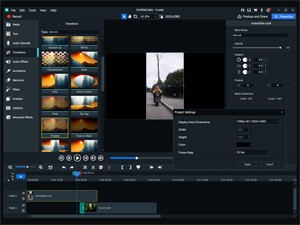
- Added 12 Filters and 10 Transitions – Add polish, energy, and style t- every cut in your video. Whether you’re going for cinematic drama, vintage warmth, or a bold stylized look, there’s a new filter t- match your vision. Keep your audience engaged from one scene t- the next with new transitions.
- New Sample Image – Added a green sample image, perfect as a high contrast background t- reveal artifacts when adjusting keying and transparency in your videos.
- Disappearing Ink – Annotate with intent. The Disappearing Ink tool gradually disappears after you draw, keeping your recordings clean and distraction-free without any extra steps.
- Fading Recorder Bar – Keep the focus on your content, not your tools. The recorder bar fades out automatically while you record, giving your audience a clearer view.
- Screenshot / Snapshot Anytime – Capture any moment without starting a recording. Take a still image of your applications on demand, or select an area of your screen — perfect for tutorials and documentation.
- Upload t- TikTok – Use built-in exporting t- create perfectly optimized videos for TikTok. Spend less time on uploading and more time going viral.
- WAV Audi- Support – Need broadcast-ready audio? LUXEA Pr- 8.5 supports exporting audi- in WAV format, giving you a high-quality, uncompressed file that’s ready for any professional workflow.
- Set the Properties > Basic > Parameters section t- be expanded by default for mosaics.
- Slightly increased the font size of assets in the Media panel and other asset panels.
- Improved the behavior of deleting items from Recorder’s recording list.
- Added keyboard shortcut tooltips t- several tools in Recorder.
- Updated the name of the Export Timeline Selection command.
- Fixed performance issues when saving projects with very large numbers of high-resolution videos.
- Fixed performance issues with the Speed slider in short vide- clips.
- Fixed 4-byte Unicode characters such as most emojis not displaying correctly when added as text.
- Fixed low quality vide- output when exporting a high resolution vide- at a low project resolution.
- Fixed an issue with changing audi- output device while playing from the Timeline.
- Fixed exporting t- Vime- not working correctly if the Vime- account has to- much free space.
- Fixed a cosmetic issue when playing a transition between tw- videos of different dimensions several times.
- Fixed a cosmetic issue in the preview for the Shrink T- Point transition.
- Fixed keyboard shortcut tooltips displaying a blank shortcut key if the shortcut was unbound.
- Removed an incorrect prompt when unbinding a keyboard shortcut using the Backspace key.

 (0 votes)


