 Version 1.23 du 31/10/2026
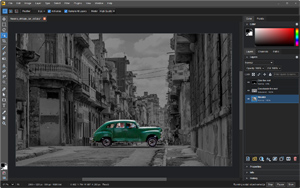
- Adjustments: Image > Adjustments > Black & White (Ctrl+Shift+Alt+B) has hue chips, a reading of how much of the image each slider acts on, a tint with Hue and Saturation, and 21 presets with thumbnails in Neutral and Tinted sections; Vibrance, Exposure, Channel Mixer, Photo Filter, Gradient Map, Selective Color and Color Lookup now apply directly from Image > Adjustments.
- Shapes and paths: 878 custom shapes from game-icons.net ship built in, loaded on first use, with arrows and signs in Arrows and Symbols and cards and dice in Games; polygons stay live, path components get W, H, X and Y fields and live rows, Combine Shapes has menus, and a click picks a work path among shapes.
- Edit > Fill opens a Fill dialog with Contents, Mode, Opacity and Preserve Transparency, on Shift+Backspace and Shift+F5.
- Shortcuts: Shift+[ and Shift+] step brush hardness, the digit keys set layer opacity, / locks transparent pixels and Shift+Alt+letter sets the blend mode, on Photoshop's keys.
- Brushes: one center cross at every size, and Show Outline off shows that cross instead of the system crosshair (issue 533); Show Overlay matches the painted pixels down to 1 px, drag strokes center on the pointer and a Soft Square tip paints square; the tip chooser gives names the whole cell in smaller text on up to two lines, with the full name in the tooltip, and seeded tips and patterns are no longer added twice on a fresh profile (issue 506); Import Brushes opens in the folder it showed last.
- Move and layers: a Move drag inside a selection moves the selected pixels on their layer, with Auto-Select on or off; Ctrl over a layer or channel thumbnail shows add, subtract and intersect badges, and Channels rows combine selections with Shift and Alt ; Merge Visible works on a single visible layer that has a mask, style, text, shape or other content to apply.
- Interface: the Layer Style dialog drags smaller than its tallest page and scrolls, and remembers its size; the Properties panel's divider drags it taller and its info rows wrap; combo boxes in Preferences and Customize Tool Palette are at least 90 px wide and Customize Tool Palette names its tab Layers Panel; leaving full screen keeps a maximized window maximized on Linux; the Filter Gallery list no longer scrolls sideways.
- Files: transparent flat images open as a plain transparent layer, and a Preferences option keeps the old layer mask.

 (0 votes)


